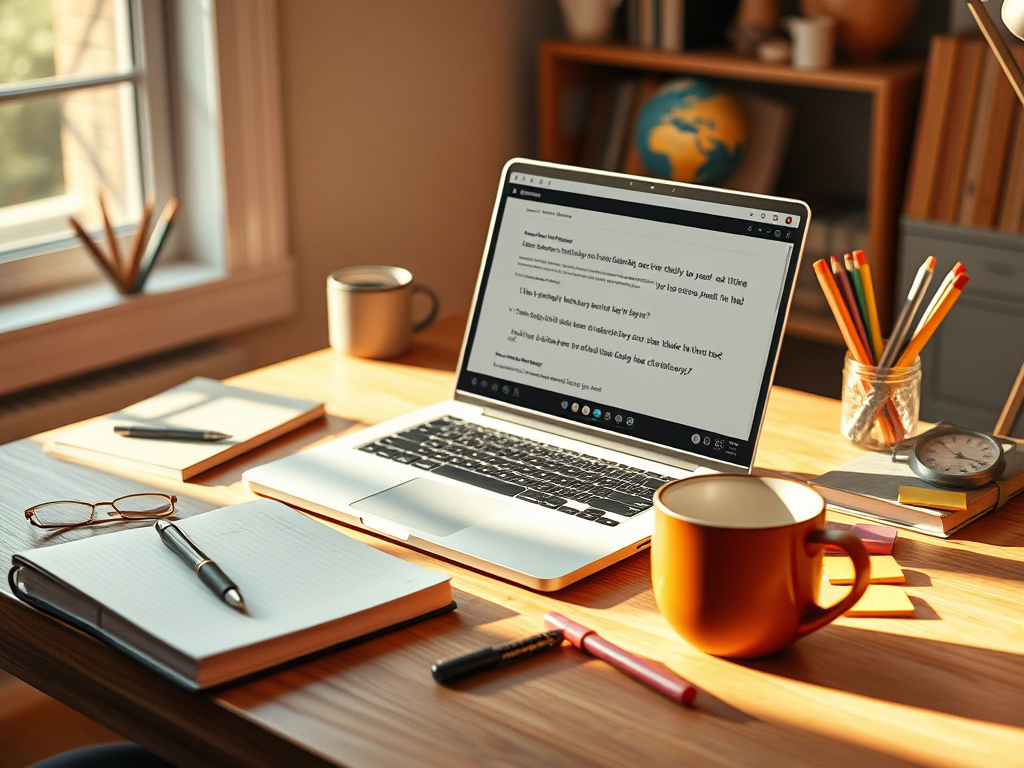
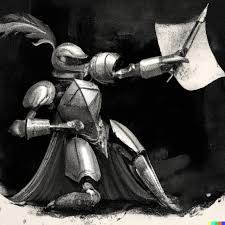
Writers, like knights of the literary world, need the right sword—or in our case, a killer app—to slay their projects.
Whether you’re conjuring up a novel, wrestling with a screenplay, or just trying to make your blog post sound like you know what you’re doing, having the right tools can turn you into the word-wielding warrior you’re meant to be. The Dragons of doubt will fall at your feet and the gremlins of grammar will flee before your might!
But with so many options, choosing a writing app can feel like wandering through a bookstore with no exit (although, on second thoughts, that actually sounds brilliant!)
But fear not, for I have travelled through the wild wood of writing tools to bring you the best writing programs and apps for 2024.
Was that a bit overdramatic? No not at all! Onward my brave knights of knowledge! Huzzar, Excelsior! and also wak-a fol-diddle!
(O.K I’m done now).
1. Scrivener: The Swiss Army Knife of Writing Programs
Best for: Writers who have more ideas than time to organize them.
Scrivener is basically the multi-tool for anyone writing a novel or screenplay. It lets you chop your work into chapters, scenes, or chaotic bursts of inspiration, while neatly organizing everything so you don’t feel like you’re drowning in a sea of half-finished ideas.
Features:
- An outliner for those of us who pretend to be organized.
- Split-screen mode so you can argue with your past drafts.
- A research folder that becomes your second brain.
Why Writers Love It: Scrivener keeps both your brilliant ideas and your spiraling distractions in check. Plotters and pantsers alike feel at home here, especially when it helps you spot the chapter that’s trying to go rogue.
Available on: macOS, Windows, iOS.
2. Google Docs: The MVP of Collaborative Writing
Best for: Writers who don’t trust themselves to back up their work. (a.k.a ME!)
Google Docs is the digital notepad for writers who need to collaborate or just want their work saved every 2.4 seconds. You can work from your phone, your laptop, or probably your smart fridge at this point, and it’s always there, saving your hide when your laptop battery dies at 2%.
Features:
- Real-time collaboration (so you can see your editor rip apart your work in real time).
- Autosave for people who refuse to remember “Ctrl + S.”
- Easy formatting, unless you hate all fonts except Comic Sans.
Why Writers Love It: It’s everywhere, it’s free, and it auto-saves like an anxious parent checking on a sleeping baby. Also, sharing your doc with someone is just one click away from getting brutally honest feedback.
Available on: Web, Android, iOS.

3. Ulysses: The Zen Master of Writing Apps
Best for: Writers who hate clutter but love structure.
If you think of writing like a meditation (or at least pretend to), Ulysses is your quiet, minimalist temple. It’s designed for writers who don’t want shiny buttons and pop-ups ruining their vibe. Here, it’s all about the words—just you, a blinking cursor, and your fleeting sense of productivity.
Features:
- Markdown formatting that’s cleaner than your last attempt to format a blog post.
- A sleek library system that makes you look like a professional, even if you’re panicking inside.
- Seamless syncing, because having your novel everywhere is just the kind of pressure you thrive on.
Why Writers Love It: Ulysses cuts out distractions like a ninja with a to-do list. If you’re a fan of Marie Kondo-ing your life, this app is like the writing tool equivalent. Everything sparks joy here—especially the lack of clutter.
Available on: macOS, iOS.
4. Grammarly: The Grammar Vigilante
Best for: Writers who think they’re above punctuation rules (but really aren’t).
Grammarly is the friend who loves you enough to tell you that “there” isn’t the right “their.” It catches typos, bad grammar, and all those times you accidentally wrote “defiantly” when you meant “definitely.” Think of it as spell check on steroids.
Features:
- Suggestions for grammar, punctuation, and tone, because it knows you’re aiming for “friendly” but ended up at “passive-aggressive.”
- Plagiarism detection for those late-night “inspirations” you swear are original.
- Style checks that make you sound polished, even when your brain is a mess.
Why Writers Love It: Grammarly doesn’t just catch your errors; it also explains them. So, after using it for a while, you’ll sound smarter—and your editor will thank you for not committing comma crimes. Available on: Web, Chrome extension, Windows, macOS, iOS, Android.
5. Hemingway Editor: The Editor Who Tells It Like It Is
Best for: Writers who over-explain things… like this sentence.
If your writing tends to wander off into the forest of unnecessary words, Hemingway Editor is the one that brings you back to the road. It’s here to make sure you say what you mean and mean what you say—without sounding like a thesaurus sneezed on your manuscript.
Features:
- Readability score that tells you how smart your writing sounds (or doesn’t).
- Highlights sentences that are so complicated even your brain needs a nap.
- Color-coded feedback that’s basically traffic lights for your prose.
Why Writers Love It: This editor doesn’t mince words. It helps you cut the fluff and gives your prose the same directness that Hemingway used—except you won’t have to write in a cabin with no electricity to make it happen.
Available on: Web, Windows, macOS.
6. Scrible: The Research Rabbit Hole Wrangler
Best for: Writers with research habits that start with one link and end three hours later on Wikipedia.
Scrible is the tool for writers who get lost in the research jungle. You can annotate, highlight, and stash articles in one place, so when it’s time to start writing, you’re not stuck searching through 87 tabs.
Features:
- Annotate and tag web pages like a research Jedi.
- A library for articles, so you can finally pretend you’re organized.
- Integrates with Google Docs, because we all know that’s where your writing ends up anyway.
Why Writers Love It: Scrible makes researching feel like you’re in control, even though you know you’re not. It’s perfect for those who like to dive deep into the details but don’t want to drown in them.
Available on: Web.
7. yWriter: Scrivener’s Little Cousin (That Doesn’t Cost a penny)
Best for: Plotters on a budget (or people just allergic to paying for software).
yWriter is like Scrivener’s free-spirited sibling. It offers many of the same plotting features but doesn’t ask you to spend a dime. If you’re someone who likes to map out every chapter, scene, and character, this one’s for you.
Features:
- Character and location tracking for when your plot gets convoluted.
- Scene and chapter breakdowns, so you can shuffle things around like a literary jigsaw puzzle.
- Frequent updates and the best price ever: free.
Why Writers Love It: It’s Scrivener on a budget. No bells and whistles, just a solid program for those who need to organize their novels before their brain gives up on them.
Available on: Windows, macOS, Android.
8. FocusWriter: The App That Tells Distractions to Get Lost
Best for: Writers with the attention span of a goldfish.
FocusWriter knows you need help. It gives you a distraction-free, full-screen interface to keep you locked into your writing, even when Netflix is only a click away. It’s simple but effective, like a cup of coffee for your brain.
Features:
- A customizable environment that makes you feel fancy.
- Word count and time goals, because we all need something to aim for.
- Free, because distractions are costly enough.
Why Writers Love It: FocusWriter is perfect for the easily distracted. It turns your computer into a writing sanctuary where you can’t procrastinate… at least for a few minutes.
Available on: Windows, macOS, Linux.

Final Thoughts
Of course, you don’t have to use any programmes, apps or tools to support you but if you discover one that suits you and your writing, it could make all the difference. At the end of the day the best writing tool is the one that makes you feel like a literary legionary. These tools are meant to support you and your brilliant brain so that you can get the most out of your imagination.
So, try them out, find your favorite, and get writing— (And don’t forget to save your work. Wak-a-fol-diddle!)
OK, now I’m really done.
 Moor Imagination